Quick reference guide

Schedule a recurring run

By the end you will have a workflow running on a schedule without anyone having to start it.
About 4 minutes

Before you start

The steps

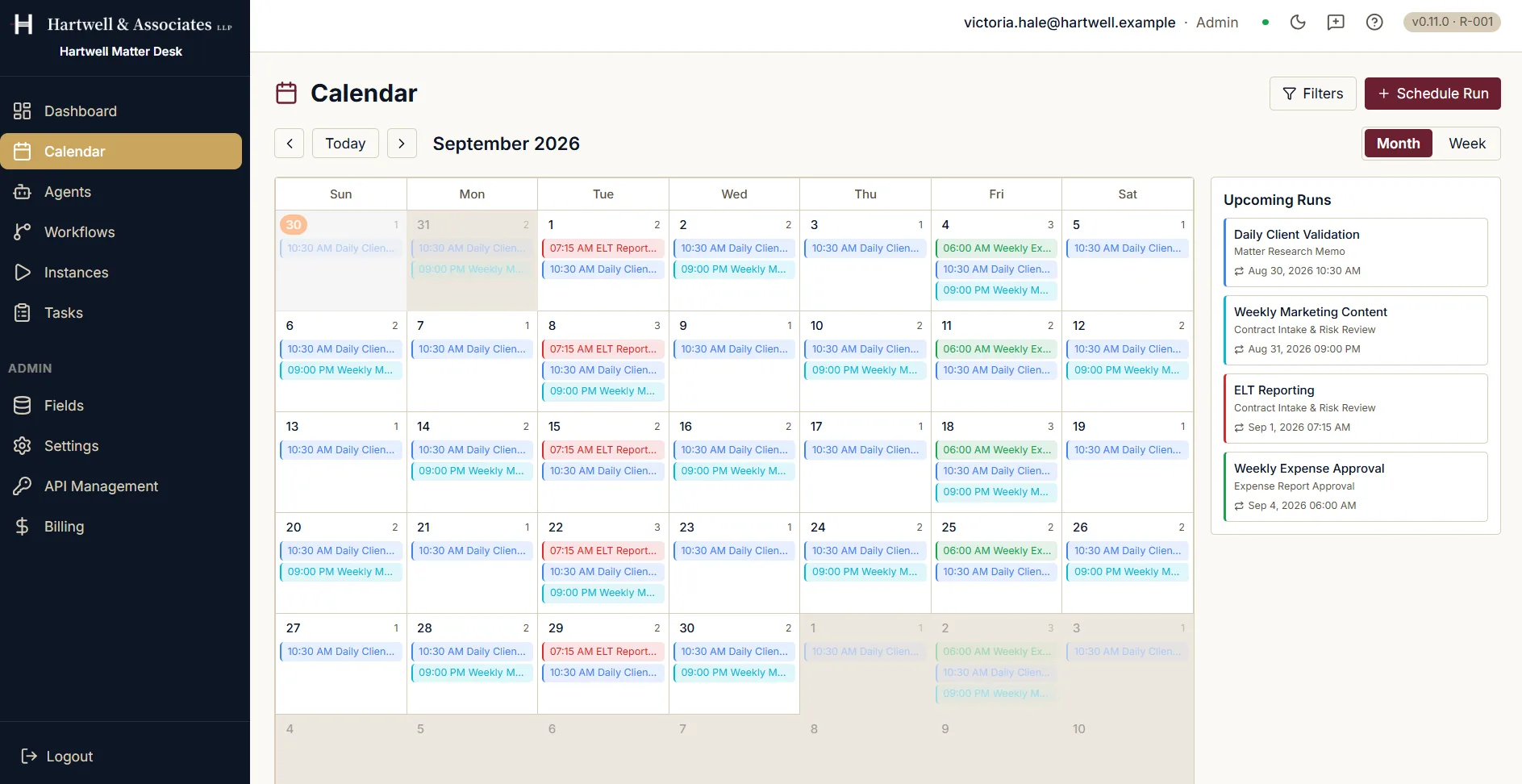
The calendar in the Hartwell demo workspace, which is example data, showing a recurring run being put on a schedule.
A month calendar for September 2026 with recurring scheduled workflow runs marked on most days, several of them repeating weekly. A side panel headed Upcoming Runs lists four of them by name, each with the workflow it belongs to, its date and time, and a repeat marker. Controls offer month and week views, a Filters button and a Schedule Run button.

The calendar in month view, with the next runs listed alongside. Demo workspace with example data.

Where to go next

Written against the product itself. The in-product help centre is the fuller reference for everything around this screen. For how to raise anything this guide does not cover, see the Support Hub.

Schedule a Recurring Workflow Run in Dave: A Quick Reference Guide | Dave